Pipe Diameter Data
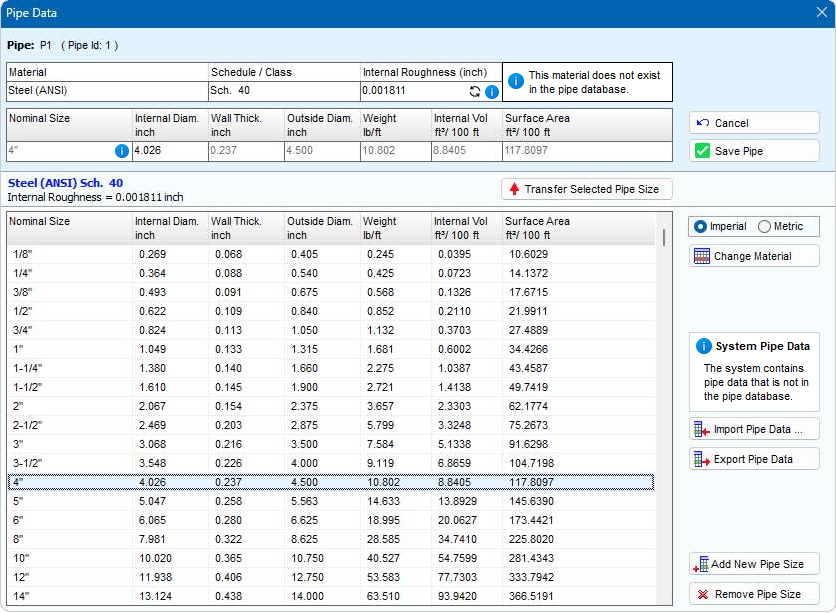
Figure 20 Pipe Data Screen – Pipe Diameter Data
|
Feature |
Description |
|||
|
Material |
The material description of the Pipe currently selected in the drawing pane. |
|||
|
Schedule/Class |
The Schedule/Class description of the pipe currently selected in the drawing pane. |
|||
|
Internal Roughness |
The internal roughness of the Pipe currently selected in the Drawing Pane. If the specified internal roughness value does not correspond with the internal roughness defined for the material in the Pipe Material Database, a reset button and information icon are displayed in the Internal Roughness field. |
|
||
|
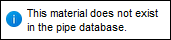
Material Information Panel |
The material information panel is displayed when the name of the material defined in the Material and Schedule / Class fields does not exist in the Pipe Material Database. |
|
||
|
Nominal Size |
The Nominal Size description of the Pipe currently selected in the drawing pane. If the specified internal diameter does not correspond with the internal diameter defined for the material in the Pipe Diameter Database, an information icon is displayed in the Nominal Size field. |
|||
|
Internal Diam. |
The internal diameter of the Pipe currently selected in the drawing pane. |
|||
|
Wall Thick |
The wall thickness of the Pipe currently selected in the drawing pane. |
|||
|
Outside Diam |
The outside diameter of the Pipe currently selected in the drawing pane. |
|||
|
Weight |
The weight per unit length of the Pipe currently selected in the drawing pane |
|||
|
Internal Vol. |
The internal volume (ft³/100 ft or m³/100m) of the Pipe currently selected in the drawing pane. |
|||
|
Surface Area |
The external surface area (ft²/100 ft or m²/100m) of the Pipe currently selected in the drawing pane. |
|||
|
Save Pipe |
Save the selected data to the Pipe currently selected in the drawing pane. |
|||
|
Cancel |
Close the Pipe Data screen without making any changes. |
|||
|
Transfer Selected Pipe Size |
Copy size data from data listing to entry boxes (at top of the screen). |
|||
|
Size data listing |
Listing of pipe sizes. |
|||
|
Metric or Imperial |
Display size data in metric or imperial units. |
|||
|
Change Material |
Display the list of materials. |
|||
|
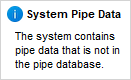
Unknown System Pipe Data |
If the system in the current active tab contains pipe data that is not defined in the Pipe Database, the System Pipe Data information panel is displayed. Clicking the information icon on the System Pipe Data information panel will display an information dialog containing details of the pipe data that does not exist in the pipe data. |
|
||
|
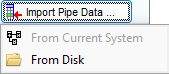
Import Pipe Data |
Displays the context sensitive Import Pipe Data pop-up menu.
From Current System See Section: Fluid Data Import > Importing Pipe Data From a System for further information, From Disk See Section: Fluid Data Import > Importing Pipe Data From Disk for further information. |
|||
|
Export Pipe Data |
Open the Select Folder dialog. Select a folder to save the exported pipe data. The pipe data for the currently selected material will be exported to disk. See Section: Pipe Data Export for further information. |
|||
|
Add New Pipe Size |
Display input boxes for new pipe size data. |
|||
|
Remove entry |
Remove a pipe size. |
|||