

Component Pressure Loss
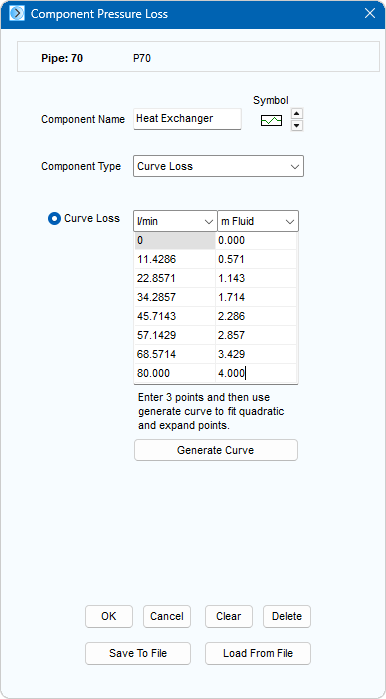
Figure 24 Component Pressure Loss Dialog
|
Feature |
Description |
|
Component Name |
Name of the Component. |
|
Symbol Scroll buttons |
Choose symbol for the Component. |
|
Component Type |
Choose the type of Pressure Loss Component (Fixed Loss, Curve Loss, Cv Value, Kv Value, Sprinkler K (metric), Sprinkler K (imperial), Orifice). |
|
OK |
Add the Component to the Pipe currently selected in the Drawing Pane. |
|
Cancel |
Close the dialog without making any changes. |
|
Clear |
Clear the pressure loss data. |
|
Delete |
Remove the Component from the Pipe currently selected in the drawing pane. |
|
Save To File |
Save the Component details to a file. |
|
Load From File |
Load the Component details from a file. |